Data grid
Display elements and parameters in an editable table with multiple selection, copy and paste, and value lists.

ADataLink presents Revit data in a table to speed up work on schedules and parameters. Changes are prepared in the grid, then explicitly applied to the model.
Display elements and parameters in an editable table with multiple selection, copy and paste, and value lists.
Create or load schedules and configure fields, sorting, grouping, formatting and filters.
Edited cells remain pending until confirmed, allowing you to check the result before using Apply to Revit.
Excel export and import for data round-tripping, plus tools for managing sheet information and revisions.
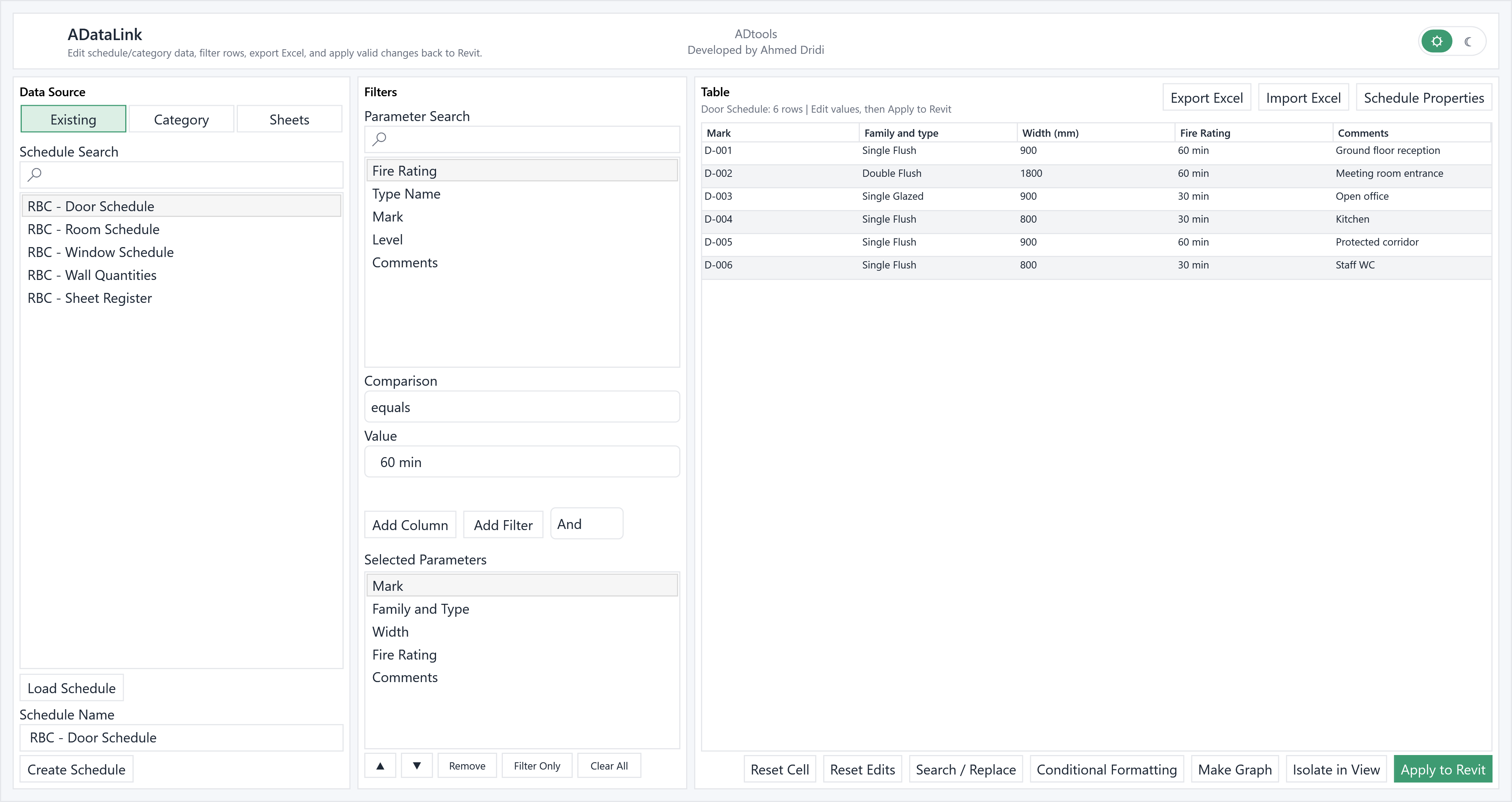
Start from an existing schedule, categories or project sheets. Choose the parameters and their order to build the table, then use filter rules to target rows.
Edit cells, find and replace values, or use Excel import and export. Reset commands let you discard an individual cell edit or all changes.
Review changes before using Apply to Revit. The table also lets you isolate elements in a view and create a schedule or update its fields, depending on the chosen source.
To standardise sheet information, load the Sheets source, add the fields to check, correct values in the grid and apply valid changes to the project.
In the modelDoor Schedule, Room Schedule, Window Schedule, Wall Quantities and Sheet Register.
In the extensionOpen Door Schedule: marks D-001 to D-006, types, widths, fire ratings and comments.
Check the resultReview edited cells before applying values to the model; export the table to share your review.
Illustrative example: the windows are populated with a fictional English-language Revit project, “Riverside Business Centre”.