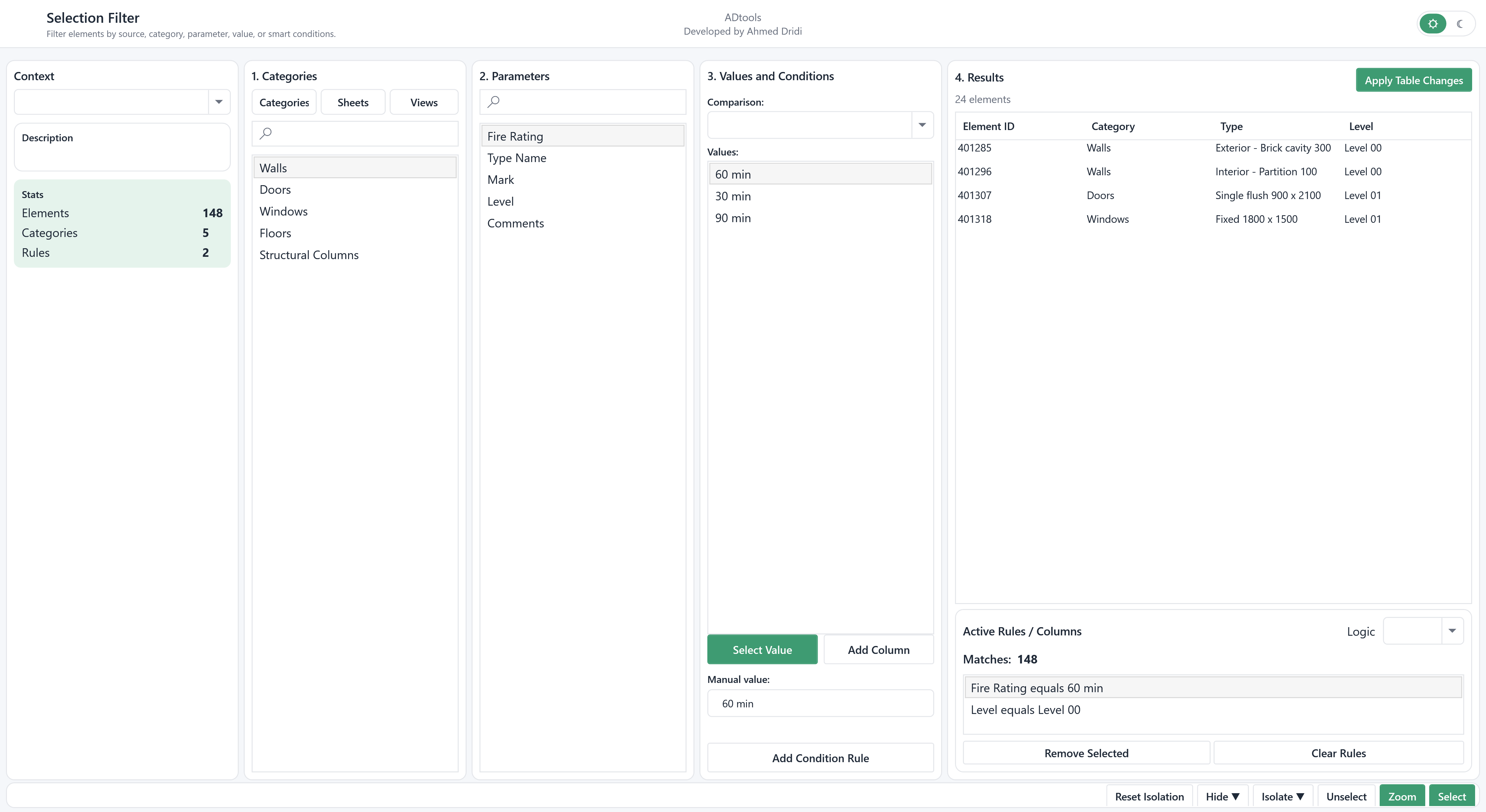
Multiple-criteria rules
Combine categories, parameters, operators and values using AND / OR logic.

Selection Filter acts as a selection and review hub. Build complex rules, inspect results in a table and act directly on elements without closing the window.
Combine categories, parameters, operators and values using AND / OR logic.
Display results with parameter columns, sorting, multiple selection and suggested values.
Zoom, hide, isolate permanently or temporarily, and follow the active view.
Edit parameters in the table with pending changes before application, including operations across multiple rows.
Choose the source, then categories, sheets or views. Select a parameter to inspect its values and prepare a comparison or a manually entered value.
Add conditions and relevant columns, then choose the logic between rules. Results and match counts let you progressively check the scope.
Select, zoom, hide or isolate elements temporarily or permanently. Apply table edits with Apply Table Changes; Reset Isolation restores the isolated display.
To find elements with a parameter needing correction, combine category and value conditions, add review columns and isolate the results before editing.
In the modelElements in the L00 - Ground Floor view.
In the extensionCombine categories and Fire Rating = 60 min; add Mark, Type and Level to the table.
Check the resultSelect or isolate results, then review edits before Apply Table Changes.
Illustrative example: the windows are populated with a fictional English-language Revit project, “Riverside Business Centre”.