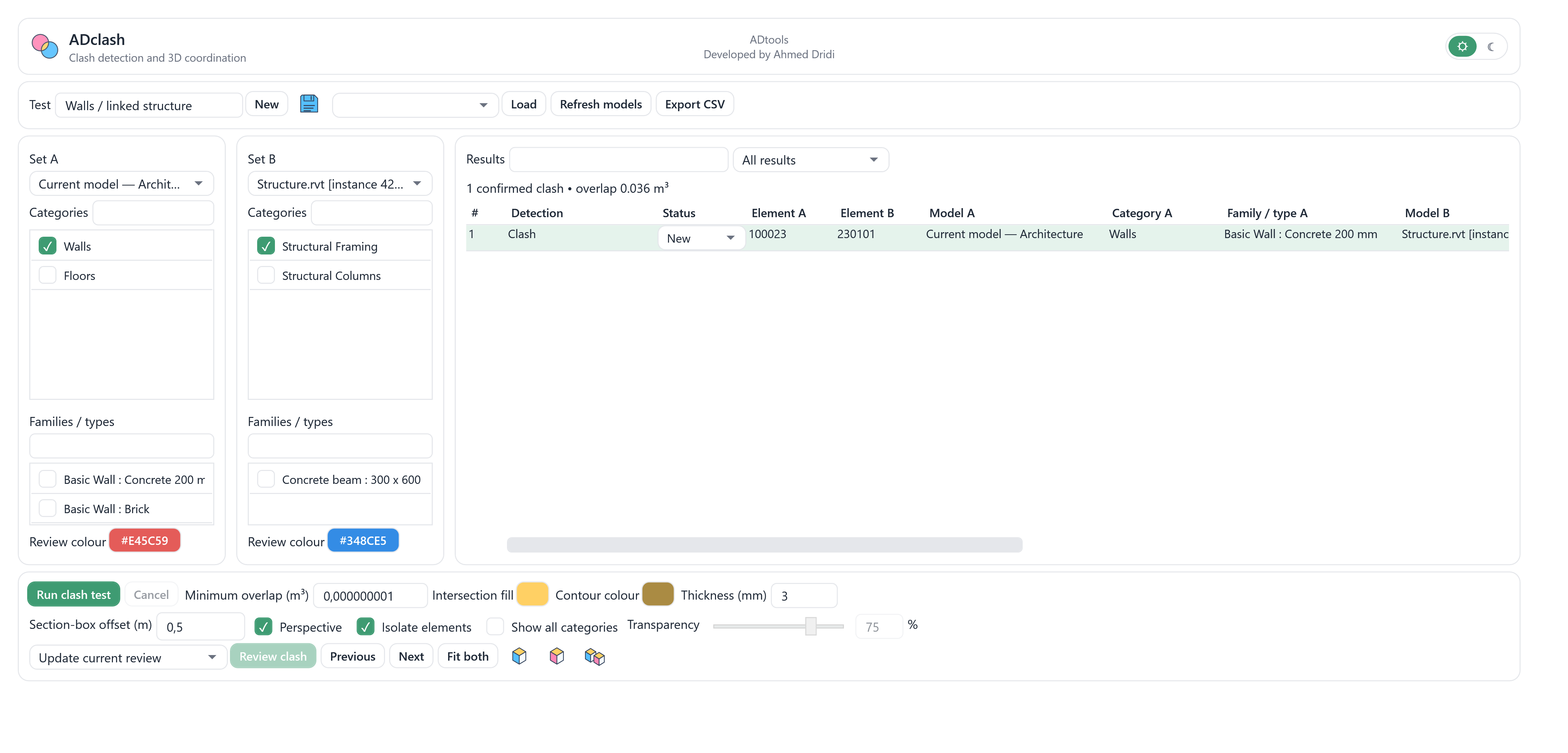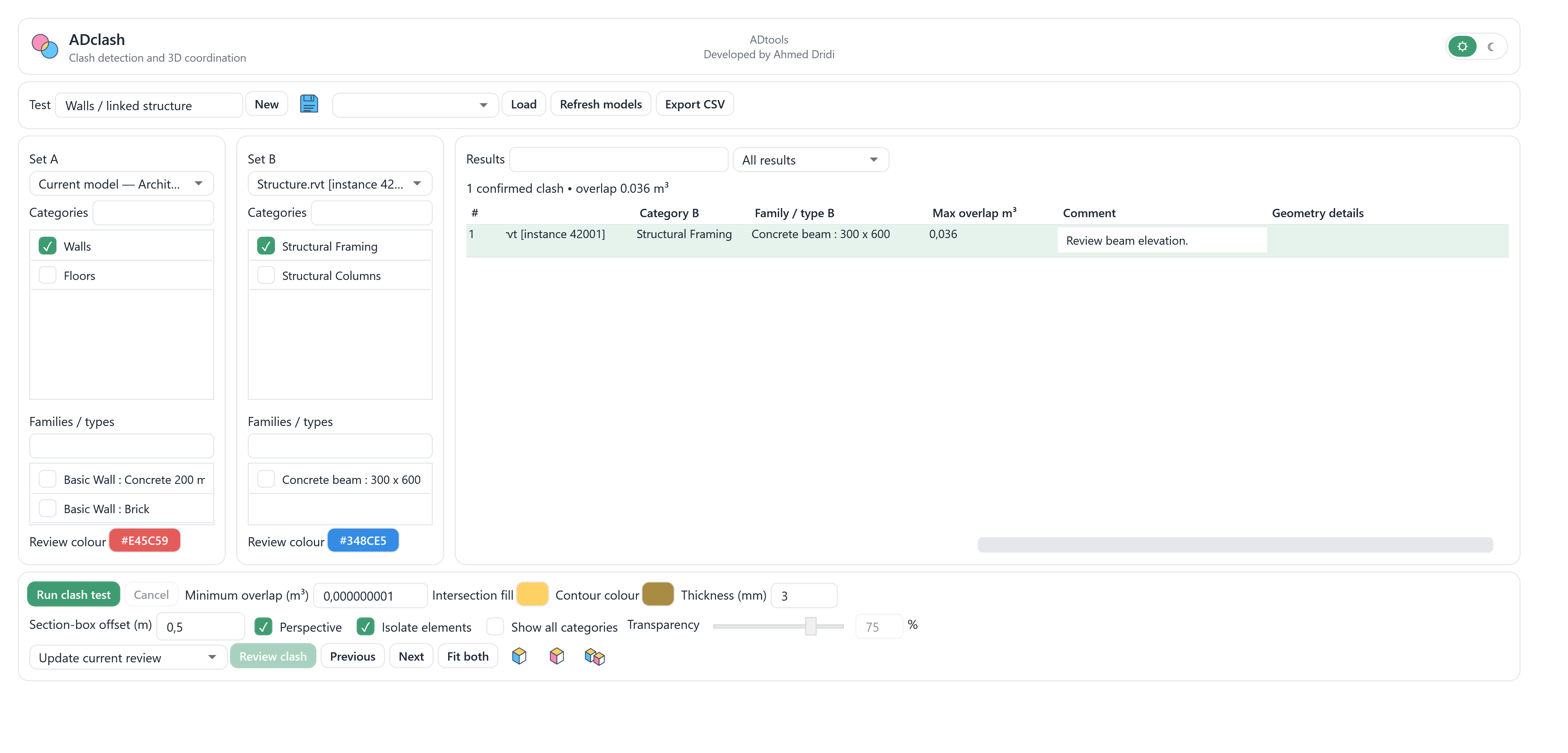
Find a beam passing through a wall, including in a linked model.
MANAGER HUB

ADclash
WHAT THE TOOL DOES
Compare categories in the current model or loaded link instances using physical solid intersections. Review original element IDs in a coloured perspective view with an adjustable section box, and save test settings, comments and review statuses.
A CONCRETE USE CASE
A need. A clear workflow.
Compare two sets, inspect their common volume, then document the review.
TRY ITInteractive example · fictional data
Rectangular solids: a 200 mm wall and a 300 × 600 mm beam. Yellow shows their common volume, recalculated on every move.
KEY FEATURES
Two comparison sets
Choose sources A and B, categories and family or type filters. Results retain original host-model or link-instance element identities.
Solid intersections
Detection tests physical solid intersections using a minimum overlap volume in m³. Geometry that cannot be evaluated remains distinct from confirmed clashes.
3D review
Open a perspective or available review view, adjust section-box margin, colours and isolation. Show surrounding categories with adjustable transparency when needed.
Result tracking
Save test definitions, assign review statuses and comments, move between clashes and export the result list as CSV.
Persistent review display
Review-display definitions are stored with the document and rebuilt from element identities. Closing the tool window does not own or terminate that document display.
See the clash volume
Inspect the exact solid intersection as a third volume, yellow by default, with an adjustable colour. A failed intersection is reported without inventing a bounding-box clash volume.
Intersection appearance
Set the intersection fill and contour colours independently. Adjust contour thickness from 0.1 to 100 mm in model space; its screen size depends on zoom. These settings are saved with the test.
IN PRACTICE
From setup to review.
Choose the sets
Compare architectural walls with beams in Structure.rvt. Restrict categories and types to the elements you want to review.
Run the test
Run clash test, then distinguish confirmed intersections from cases needing geometry review.
Coordinate the result
Select a row, use Review clash and inspect both elements in the section box. Add a comment and review status for follow-up.
Riverside Office · fictional example
A 200 mm concrete wall and a 300 × 600 mm structural beam illustrate a clash between architecture and a structural link. Element IDs and the displayed result are demonstration data.
The interface, in detail.
High-resolution views rendered from the source interface with fictional English project data. These previews were prepared outside Revit.