
Get a parameter total for selected elements.
UTILITIES

Sum
WHAT THE TOOL DOES
Select elements and total their numeric parameter values. Results use project units and the chosen rounding; type parameter values are counted for each selected instance.
A CONCRETE USE CASE
A need. A clear workflow.
Choose the parameter and rounding, then read the result in project units.
TRY ITInteractive example · fictional data
Selection total
This browser illustration explains the tool’s principle. Model actions take place in Revit.
KEY FEATURES
Selection
Use the existing Revit selection or choose elements from the active view.
Numeric parameters
Detect measurable parameters shared by or available in the selection.
Units
Convert from internal Revit units to the units configured in the project.
Result
Instant totals with controlled formatting and rounding for quick reading.
IN PRACTICE
From task to result.
Make a selection
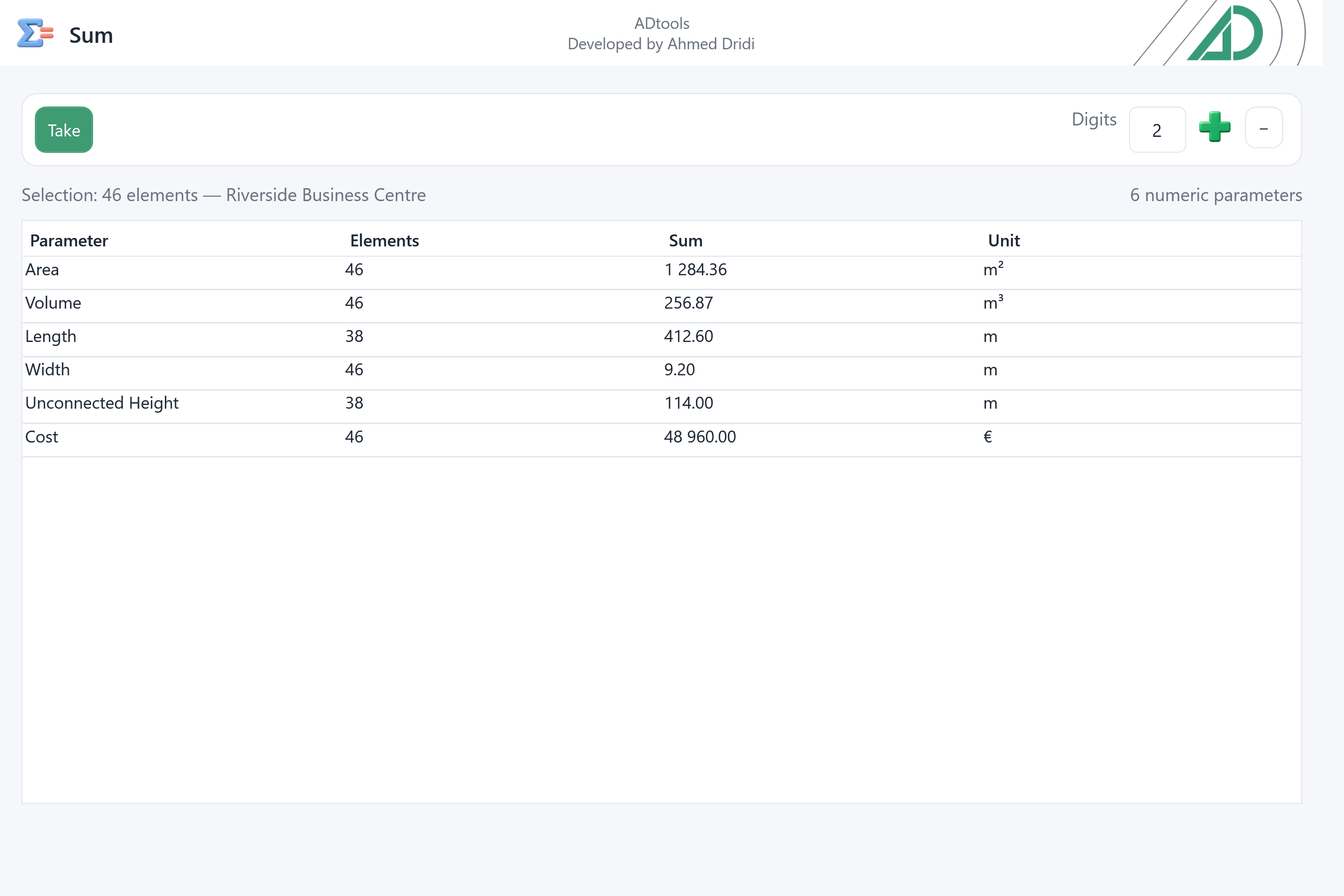
Click Take, then select elements in the Revit view. The tool gathers available numeric parameters to display their totals.
Read quantities
The table separates parameter name, calculated value and unit. Digits controls the number of decimal places for easier reading.
Compare sets
Make another selection suited to the check and read its totals. This is a quick quantity check without preparing a dedicated schedule.
A practical example
Select elements with an area or length parameter, then read the sum and unit in the grid for a quick check.
The tool in detail.
Illustrative example: the windows are populated with a fictional English-language Revit project, “Riverside Business Centre”.
ADTOOLS IN YOUR OFFICE
Request a demo See ADtools on your projects.
A video demo built around your own cases. Get in touch to set up a call.